Table of Contents
Adding External Users
Loading last updated info...
Have you invited guests to your Microsoft organization and want to tag them in PBIs and emails?
Here’s how to allow YakShaver to find and tag them.
Prerequisites
- You must be an Admin of your tenant in YakShaver
- The external user must be invited as a guest to your Microsoft Organization
Step-by-Step Instructions
- Log in to the YakShaver Portal
- In the Users settings, select Show all users
- Activate the external user
- Done!
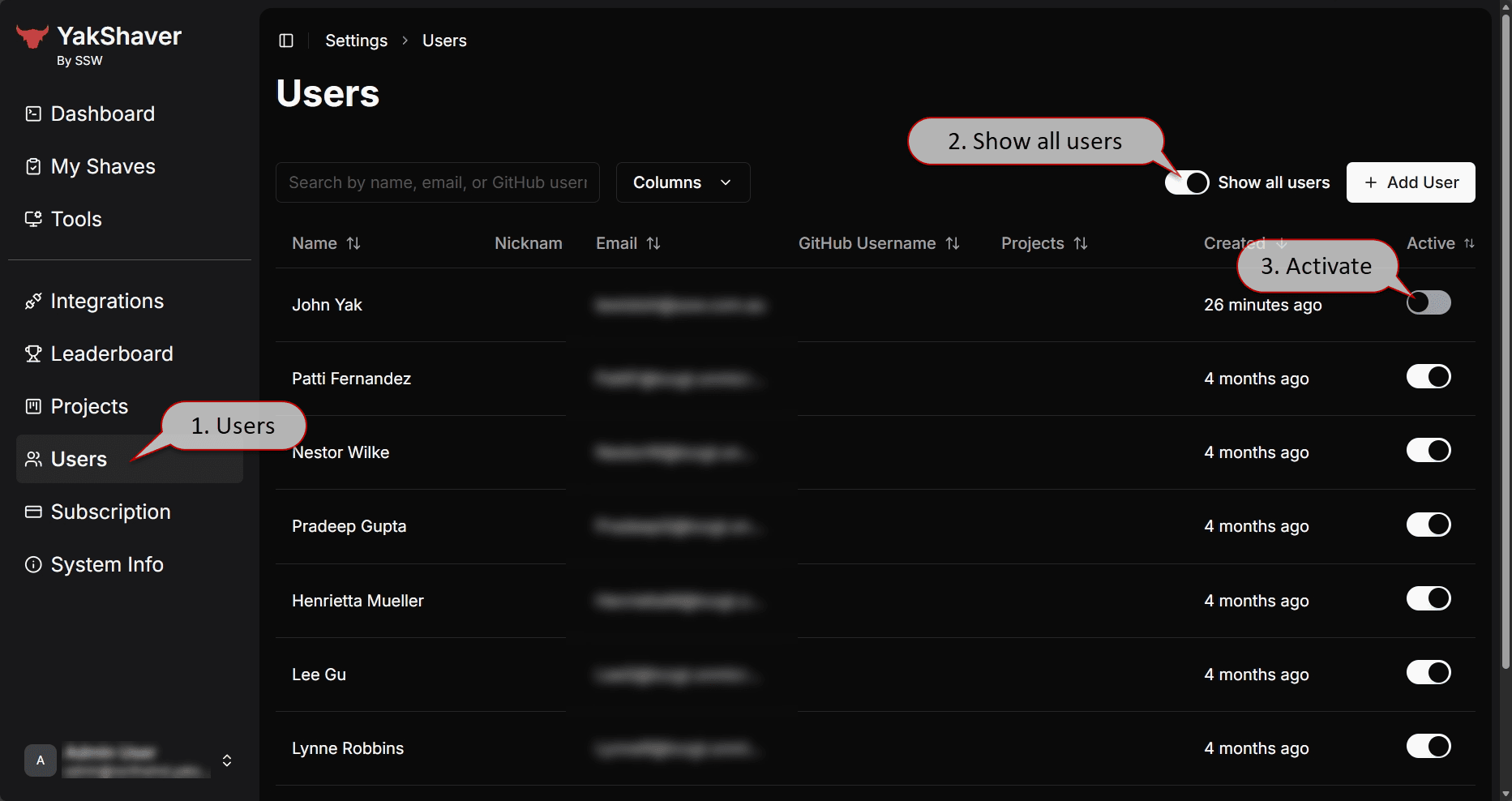 Figure: Adding external users in three easy steps!